Design together,
in a loop.
Markloop is the collaborative canvas for real HTML. Pin feedback on live elements, discuss in threads, and let AI agents apply the fixes — vibe design, not pixel pushing.
Free for small teams · No credit card
Trusted by design-forward teams
The canvas
Feedback lives on the design.
Pins, threads and AI fixes happen on the live HTML itself — not on a screenshot of it.
▍The Loop
Mark it. Discuss it. Ship it.
Every piece of feedback travels one continuous loop — from a pin on the canvas to verified, shipped code.
Mark
Click any element on a live HTML prototype and pin your feedback exactly where it belongs.
Discuss
Threads grow around each pin. Teammates, guests and stakeholders align in context.
AI Fix
Your AI agent — Claude, Cursor, anything MCP — reads the feedback and rewrites the design as code.
Verify
Before / after diffs, version history and one-click approval close the loop.
In action
One canvas, the whole loop.
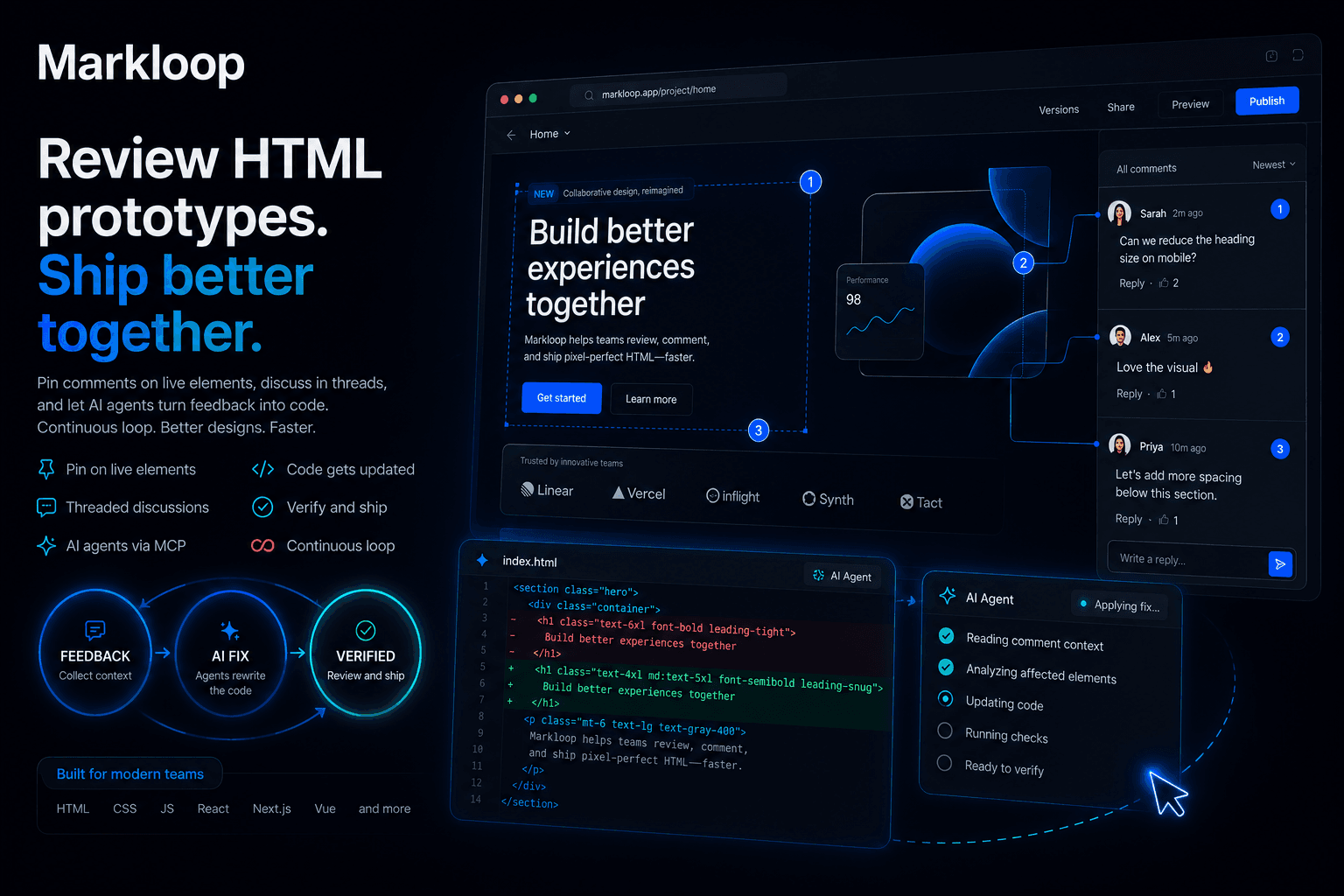
Everything in one canvas
Like Figma, if Figma shipped code.
Stop translating mockups into markup. In Markloop the design is the HTML — reviewed, discussed and rewritten in place.
Pinned feedback
Comments anchor to real DOM elements and survive markup changes. No more screenshot-and-arrow archaeology.
Threaded discussion
Nested replies on every pin. Resolve, reopen, and keep the whole decision trail next to the element it shaped.
MCP-native agents
Bring your own AI. Scoped API keys let Claude, Cursor or any MCP client read feedback and push fixes autonomously.
$ claude mcp add markloop
✓ connected · 3 pins waiting
→ applying fix to section.hero…
Git-like versions
Every AI fix lands as a draft version. Review, approve, deny or roll back — a linear history you can trust.
Workspaces & roles
Owners, editors, commenters. Public review links for guests. The right people get exactly the right access.
Vibe design → HTML
Describe the change, don't drag it. The output is production-grade HTML and CSS you can ship today.
0+
pins resolved by AI
0×
faster design iteration
0+
versions shipped
0+
teams in the loop
Stop pushing pixels.
Start looping.
Spin up a project from a URL, a paste of HTML, or straight from your AI agent — and close your first loop in minutes.